GO Focus Plus Aux Rear Cams

ORDER NOW

Provided byGeotab Inc.

(0 reviews)

Login to leave a review
(0 reviews)

Login to leave a review
Overview
  • image of GO Focus Plus Aux Rear Cams
  • image of GO Focus Plus Aux Rear Cams

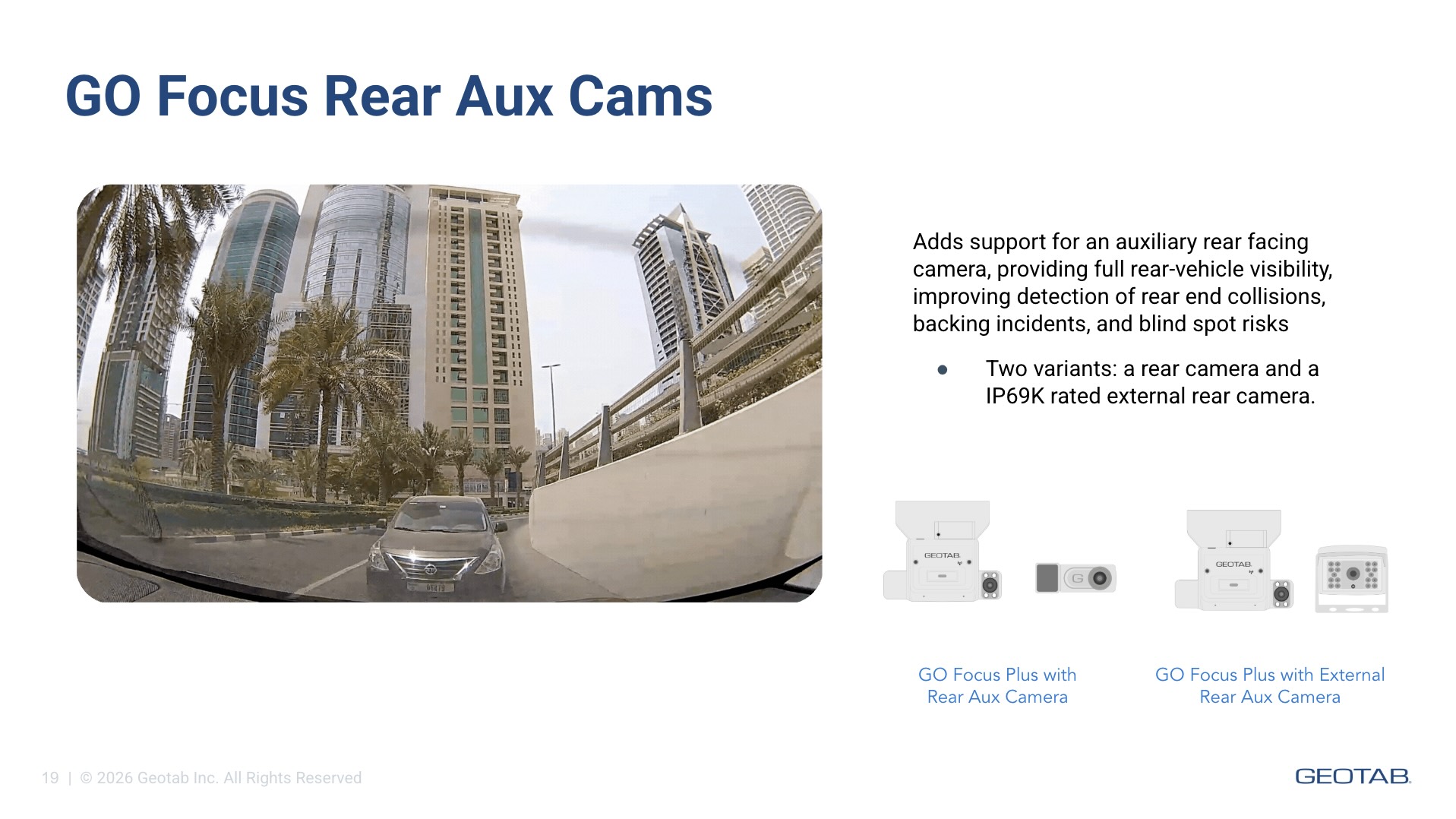
Blind spots behind your vehicle are one of the most preventable causes of fleet incidents — backing collisions, missed hazards during low-speed maneuvers, and rear-end events that are costly to defend. The GO Focus Plus Aux Rear Cams extend your GO Focus Plus AI dash cam system with dedicated rear-vehicle coverage, so every angle of your operation is protected.


Choose the configuration that fits your vehicle and environment: an internal rear camera that mounts inside the cabin facing out, or an IP69K-rated external rear camera built to withstand the harshest outdoor conditions. Both options deliver continuous recording and event capture from the rear view, working seamlessly alongside your existing GO Focus Plus road-facing and in-cab cameras as part of a unified multi-camera system — all managed in MyGeotab.


This solution includes two camera options for rear-vehicle monitoring:


Internal Aux Rear Camera

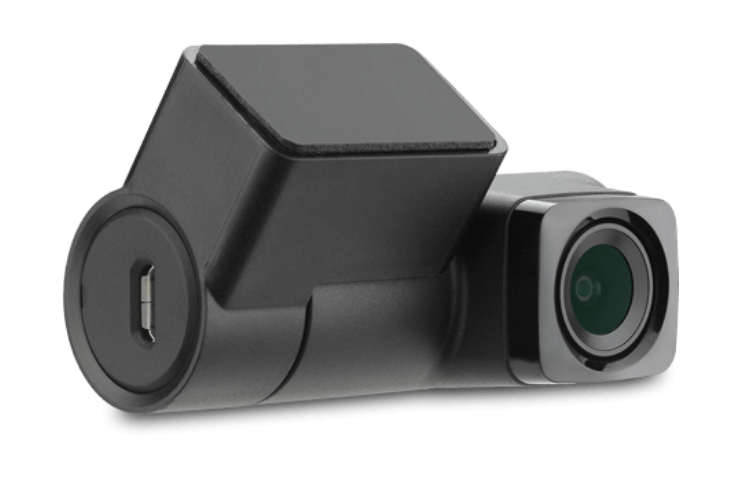
Mounts internally inside the vehicle cabin, facing outward toward the rear. Provides comprehensive rear visibility without external mounting. Best for vehicles where interior installation is practical.


External Aux Rear Camera

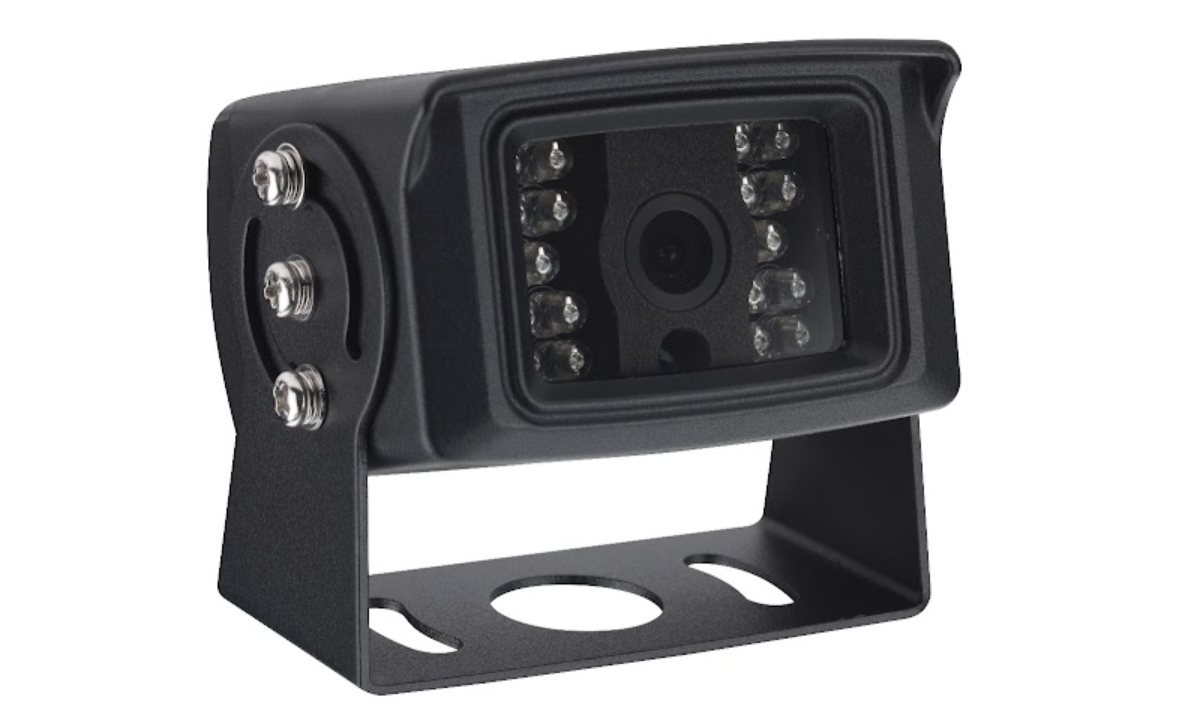
Designed for external mounting on the vehicle. Features an IP69K weather rating for maximum durability in outdoor conditions, offering full rear-vehicle visibility in rain, road spray, dust, and extreme temperatures.


Cable length: 5 meters (16 feet)

Weather rating: IP69K (external model)


Use Cases

• Delivery and last-mile fleets: Protect drivers and pedestrians during frequent backing maneuvers in dense urban environments.

• Construction and heavy-duty vehicles: Monitor blind spots and rear clearance on job sites where large vehicles operate in close quarters with workers and equipment.

• Transportation and transit: Detect rear-end approach events and document incidents for liability protection on public roads.

• Logistics and freight: Add a rear-view channel to trailer connections and loading dock operations for complete situational awareness.


SKU Guide

GO Focus Plus - Aux Rear Cam: HDW-A60-GFP

External Aux Rear Cam - Extension Cable-ready: HDW-GFU10CAM-M8

External Aux Rear Cam - Mini USB: HDW-GFPU10CAM-USB


Features And Benefits

Full rear-vehicle visibility

  Detect rear-end collisions, backing incidents, and blind-spot hazards with an additional camera angle dedicated to what's behind your fleet.


Built for the outdoors — IP69K weatherproof rating

  The external rear camera withstands high-pressure water, dust, and temperature extremes, making it reliable in demanding environments from construction sites to delivery routes.


Plug-and-play integration with GO Focus Plus and GO Focus Pro

  The auxiliary rear camera connects directly to your GO Focus Plus or GO Focus Pro device, is detected automatically, and appears as an additional video channel with full recording support — no complicated setup required.


Continuous recording and event capture

  Captures footage from the rear at all times, with event-triggered clips that surface automatically alongside forward-facing and in-cab footage in MyGeotab's Smart Sequence™ view.


Precision and safety in reverse

  Give drivers clear, real-time rear visibility during the most demanding moments — backing into loading docks, tight lot maneuvers, and low-speed operations where a few inches matter.


Protect against unwarranted claims

  Add rear-angle video evidence to your incident documentation, accelerating investigations and providing a complete picture for liability and insurance purposes.


Company Website

https://www.geotab.com/

Keywords

#GO Focus Plus#Aux Cam#rear camera#auxiliary camera#external camera#IP69K#weatherproof#blind spot#backing#MyGeotab#dash cam#video telematics

Regions

Canada

United States

Supported Languages

English

GO Focus Plus Aux Rear Cams

Provided byGeotab Inc.

(0 reviews)

Login to leave a review

(0 reviews)

Login to leave a review

Paid solution